Hey everyone, your guide from Blender Aday here. Let’s talk about something that looks as good as it tastes—or at least, it should in our renders! We’re diving deep into creating photorealistic Frozen Dessert Recipes Blender scenes. If you’ve ever tried to model something like ice cream or a popsicle and ended up with something that looks more like colored plastic, you’re in the right place. The secret isn’t just one magic button; it’s a ‘recipe’ of techniques, combining precise modeling, complex shading, and artistic lighting. This guide will walk you through that recipe, step-by-step.
Why Should You Master 3D Frozen Desserts?
Why spend time creating digital ice cream? First, food visualization is a massive and lucrative field in commercial 3D art. Advertisements, packaging, and menu displays all rely on CGI to create perfect, non-melting hero shots. Mastering this niche makes your portfolio stand out. Second, it’s an incredible technical challenge that forces you to level up your skills in some of Blender’s most powerful areas, like procedural texturing and Subsurface Scattering (SSS). The skills you learn here are directly transferable to creating other organic materials like skin, wax, and marble.
The Ultimate Guide to Frozen Dessert Recipes in Blender
Think of this process like a real kitchen recipe. You need the right ingredients (references and models), a good mixing process (shading), and the perfect presentation (lighting and rendering).
Step 1: Gathering Your ‘Ingredients’ – Reference and Modeling
Before you even open Blender, your first step is gathering high-quality reference images. Look for photos of real ice cream, sorbet, and popsicles. Pay close attention to:
- The tiny ice crystals on the surface.
- The way light passes through the edges.
- The texture—is it smooth, chunky, or slightly rough?
- Imperfections like small air bubbles, cracks, or drips.
Once you have your references, it’s time to model. For something like an ice cream scoop, don’t just use a UV sphere.
- Start with a UV sphere, but go into Sculpt Mode.
- Use the Grab brush and the Inflate brush with a low strength to gently pull and push the geometry, breaking up the perfect spherical shape.
- Use a Cloud or Noise texture with the Draw brush to add subtle, high-frequency surface detail. This mimics the lumpy, uneven texture of a real scoop.
- For the sharp, chiseled edges you see on hard-frozen scoops, use the Scrape or Pinch brush.
Pro Tip: Proportional Editing (shortcut O) is your best friend in Edit Mode for creating organic, flowing shapes like melted drips or soft-serve swirls. Use a Random or Noise falloff for more natural results.
Step 2: ‘Mixing the Base’ – Shading with Nodes
This is where the real magic happens. A basic Principled BSDF shader won’t cut it. The key to that delicious, translucent look is Subsurface Scattering (SSS).
SSS simulates light penetrating the surface of an object, scattering inside, and then exiting. It’s what makes materials like milk, skin, and frozen desserts look soft and not like hard plastic.
Here is a basic node setup for a strawberry sorbet:
- Principled BSDF: This is your main node.
- Base Color: Set this to your primary sorbet color (e.g., a light pinkish-red).
- Roughness: Real frozen desserts are rarely perfectly glossy. Start with a value around 0.4 – 0.6. Use a Noise Texture node plugged into a ColorRamp and then into the Roughness input to create subtle variations.
- Subsurface: Increase this value significantly. A value between 0.5 and 1.0 is a good starting point.
- Subsurface Radius: This is crucial. It controls how far each color channel (RGB) scatters. For strawberry sorbet, you want red light to scatter further than blue or green. A good starting value might be: [1.0, 0.2, 0.1]. This gives the material a deep red glow where the light passes through.
- Subsurface Color: Set this to a slightly more saturated and vibrant version of your base color.
To add those tiny ice crystals, mix your main SSS shader with a glossy shader using a procedural bump map.
- Connect a Noise Texture node to a Bump node’s Height input.
- Set the Noise Texture’s Scale very high (e.g., 500+) and its Detail to maximum.
- Plug the Bump node into the Normal input of your Principled BSDF node. This will create a micro-bumpy surface that catches the light like frost.
Step 3: ‘The Garnish’ – Toppings and Final Touches
A scene is rarely just one object. Toppings bring your frozen dessert recipes blender project to life.
- Sprinkles: Use a particle system. Model a few sprinkle variations, put them in a collection, and use the collection as the render object for a Hair particle system on your main dessert mesh. Use the particle editor to comb them into place.
- Chocolate Drips: This is a great use for Blender’s physics. Create a simple mesh “sauce” object above your dessert, give it a Fluid simulation with high viscosity, and bake the simulation to get a realistic drip. Alternatively, you can sculpt it or use a curve with a bevel profile.
- Condensation: Create tiny water droplets using a particle system with a simple sphere as the object. For even more realism, use a texture map to control the density, so droplets form more heavily in some areas than others.
|
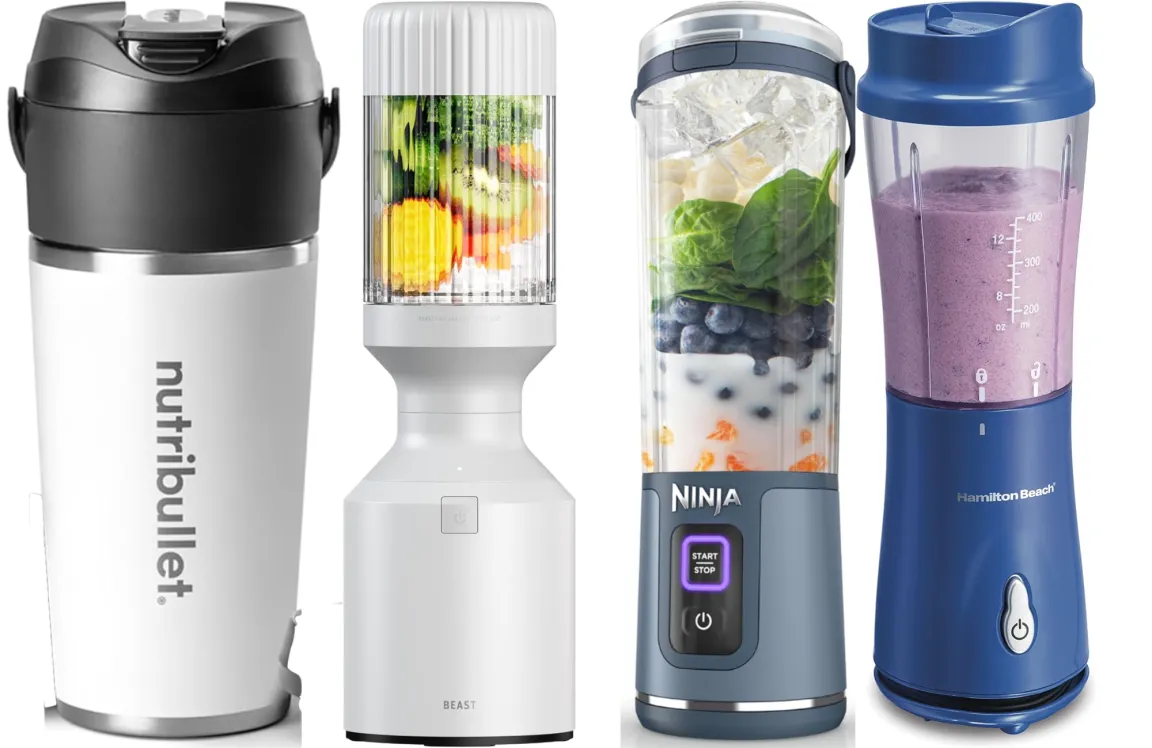
Our Picks for the Best Blender in 2025
As an Amazon Associate, we earn from qualifying purchases.
|
||
| Num | Product | Action |
|---|---|---|
| 1 | Ninja Professional Blender 1000W, Total Crushing Technology- Smoothies, Ice Crushing & Frozen Fruit, Full-Size Countertop Blender, 72-oz. Pitcher, Black & Grey, BL610 |

|
| 2 | Ninja | Blender | Nutri Pro | Single Serve | For Smoothies, Salsa, Shakes and Frozen Drinks | Includes 2 Smoothie Cups & Lids | Crushes Ice, Fruit & Veggies |Silver | BN401 |
|
| 3 | Zulay Kitchen Milk Frother Wand Drink Mixer with AA Duracell Batteries- Durable Handheld Milk Frother Electric Whisk - Easy-Clean Milk Frother Wand & Mini Blender - Electric Coffee Frother - Black |
|
| 4 | BLACK+DECKER PowerCrush Multi-Function Blender with 6-Cup Glass Jar, 4 Speed Settings, Silver |
|
| 5 | nutribullet Personal Blender, Shakes, Smoothies, Food Prep, and Frozen Blending, 24 Ounces, 600 Watt, Gray, NBR-0601WM |
|
| 6 | KOIOS Smoothie Blender, 900W Personal Blender for Shakes and Smoothies for Kitchen with 2 No-BPA 22oz Portable Cups, Single Serve Smoothies Maker Mixer for Juices, Nutritious Recipe (Grey Blue) |
|
| 7 | BLACK+DECKER 10-Speed Countertop Blender, BL2010BP, 6-Cup Plastic Jar, Dishwasher-Safe, Stainless Steel, Suction Feet |
|
| 8 | Magic Bullet Blender, Small, Silver, 11 Piece Set |
|
| 9 | BlenderBottle Classic V2 Shaker Bottle Perfect for Protein Shakes and Pre Workout, 28-Ounce, Clear/Black |
|
| 10 | Ninja Blender, Compact Kitchen System, 1200W, 3 Functions for Smoothies, Dough & Frozen Drinks with Auto-IQ, 72-oz.* Blender Pitcher, 40-oz. Processor Bowl & 18-oz. Single-Serve Cup, Grey, AMZ493BRN |
|
Pro Tips for Hyper-Realistic Results
Ready to take it to the next level? Here are a few techniques I use in my professional projects.
How Do You Make Lighting Look Delicious?
Lighting is everything in food visualization. A common mistake is using flat, even lighting. Food looks best with strong contrast and soft shadows.
- Backlighting: Placing a strong key light behind your subject is a classic technique. It highlights the SSS effect, creating a beautiful, glowing “halo” around the edges and emphasizing the texture.
- Soft Fill Light: Use a large area light with low power from the front or side to gently fill in the shadows so they aren’t completely black.
- HDRI for Reflections: An HDRI environment texture will give you realistic reflections in any glossy elements, like melted syrup or a spoon.
The Art of Imperfection
Nothing in the real world is perfect. Add subtle imperfections to sell the realism.
- Use a Musgrave Texture with a very low scale plugged into the Displacement input of the Material Output node (in Cycles only) to add broad, subtle warping to the surface.
- Create a “smudge” or “fingerprint” texture map (a simple grayscale image) and use it to control the roughness of a plate or spoon.
Common Mistakes to Avoid in Your Blender Kitchen
- Ignoring Subsurface Scattering: This is the most common error. Without SSS, your dessert will look like a solid, opaque piece of plastic. It’s the single most important parameter for this type of material.
- Making Everything Too Perfect: Perfectly smooth surfaces and perfectly symmetrical models scream “CGI”. Use sculpting, procedural noise, and displacement to break things up.
- Using a Bad Color Palette: Look at real food. Colors are rarely 100% saturated. Desaturate your base colors slightly for a more natural look. Use a color palette tool like Adobe Color to find complementary colors for your scene.
Practical Applications for Your Renders
Once you’ve mastered creating frozen dessert recipes blender scenes, you can use them everywhere.
- Portfolio Pieces: A stunning food render is a guaranteed attention-grabber.
- Product Visualization: Create mockups for ice cream brands, packaging designers, or restaurants.
- Motion Graphics: Animate a melting ice cream cone or a swirling soft-serve for a commercial or social media ad.
- Virtual Photography: Create beautiful still-life images that rival real photos.
Frequently Asked Questions
What is the best renderer for food, Cycles or Eevee?
For ultimate realism, Cycles is the superior choice. Its path-tracing engine accurately simulates how light interacts with materials, which is essential for effects like Subsurface Scattering and caustics. Eevee can provide a decent approximation for quick previews, but it won’t have the same physical accuracy and subtlety.
How do I make ice cream look cold and frosty in Blender?
To create a frosty look, use a procedural noise texture with a very high scale and plug it into a Bump node connected to your shader’s Normal input. You can also mix in a white, high-roughness shader using a noise texture as a mask to create patches of visible frost on the surface.
Can I create melting effects for my frozen dessert recipes in Blender?
Yes. The best way to create realistic melting is with a fluid simulation. Set your dessert object as a fluid inflow source with a very high viscosity value, and let the simulation create natural-looking drips. For a simpler approach, you can use sculpting or shape keys to animate the mesh melting over time.
What are the key shader nodes for a realistic ice cream texture?
The most important nodes are the Principled BSDF (for the core shader), a Noise Texture (for surface variations and bump), a ColorRamp (to control the noise), and a Bump node. The key is to correctly utilize the Subsurface Scattering and Roughness inputs on the Principled BSDF.
Is it better to use image textures or procedural textures for food?
For most frozen desserts, procedural textures are often better. They provide infinite resolution and can be easily tweaked. Procedural noise, voronoi, and musgrave textures are perfect for creating the organic and random patterns found in ice cream and sorbet. Image textures are better for specific details like a logo on a wrapper or the wood grain on a popsicle stick.
Conclusion
Creating convincing food in 3D is a journey, not a destination. By thinking like a chef and following this guide to frozen dessert recipes blender scenes, you’ve learned the core ingredients for success: strong observation, organic modeling, and advanced shading with a heavy dose of Subsurface Scattering. Don’t be afraid to experiment with different node setups and lighting configurations. The most realistic renders are born from practice and a keen eye for detail. So open up Blender, get “cooking,” and share your delicious creations with the world. We can’t wait to see what you make.